SafetyEngine Admin Portal — Release Notes
Stay up to date with the latest improvements to the SafetyEngine Admin portal (safety-engine.com).
For a full list of changes, see the Changelog.
26.08.0
Data API
A new read-only Data API is now available for contracts that need to pull SafetyEngine data into other systems. Access is authenticated per project with OAuth2 — client credentials are generated from Admin → API → Generate OAuth Credentials, and used to request access tokens. Endpoints are available for trainings, files, news, folders, and users. To have the API enabled for your contract, reach out to SafetyEngine support. See the API section of the manual for full setup and endpoint details.
26.05.0
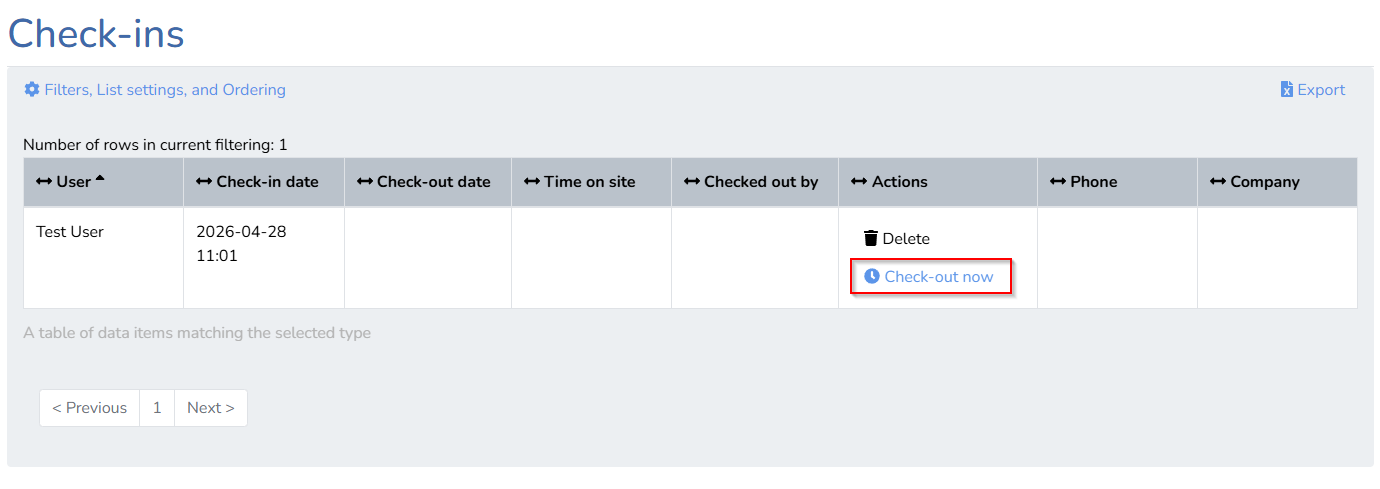
Check out on behalf of another user
Users with the Edit check-ins permission can now end another user's active check-in directly from the web portal. This is useful in situations where a user has forgotten to check out, or is otherwise unable to do so themselves.
Excel exports now respect active filters
When exporting training results or form responses to Excel, the export will now honour the filters you currently have applied. For example, if you are viewing results for a specific training or have filtered by completion status, only the matching records will appear in the downloaded file.
Improved login experience
The login page now clearly indicates that you can sign in with either your email address or phone number. If using a phone number, a reminder to include the country code is shown directly in the input field.
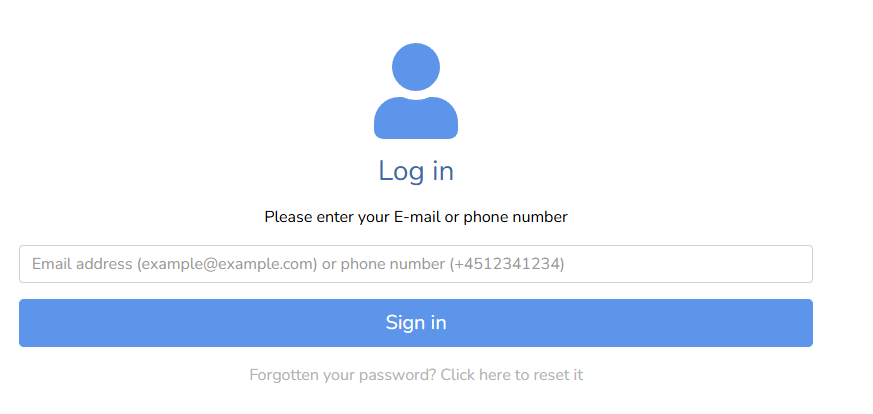
Error messages on the login page have also been refined to provide clearer guidance when something goes wrong — helping you resolve issues faster.